


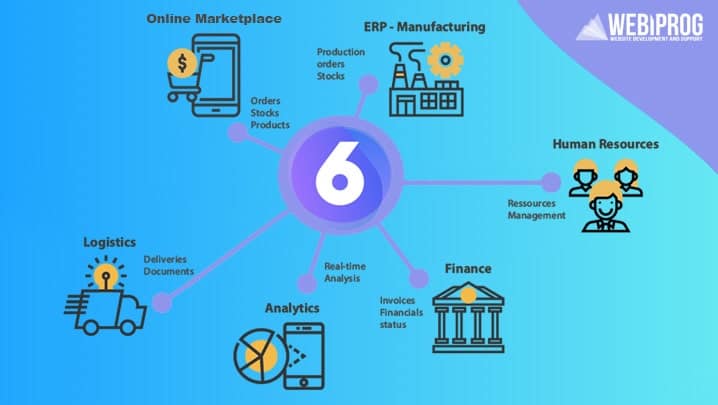
Shopware 6 is an e-commerce platform based on open source license and popular mainly in D-A-CH region. Shopware 6 equally uses two well-known frameworks – Symfony and Vue.js. Despite the “high profile” technologies used in the development of this platform, not all developers manage to achieve full compliance with the set requirements.
Shopware plugin development requires special knowledge and experience. Shopware 6 (which has more than 800,000 downloads) now offers a more flexible, reliable and better web development environment based on the API-First concept. This means that Shopware 6 can be integrated with all possible and already existing third-party systems quickly and promptly.
Although Shopware 6’s features already cover many requirements, you can independently and easily integrate third-party solutions into your Shopware 6 store to make it even more personalized to your needs.
It should be noted that the core of Shopware 6 offers a fairly developed plugin system (based on Symfony) that can be activated as needed and, from a technical point of view, therefore provides Shopware programmers with the following features:
- Start of new, previously unknown events;
- Start of new services (or setting / disabling of old services);
- Extending the system with new functions.
Shopware Plugin Programming – how it works:
Step 1 – Create directory for the new Shopware 6 plugin.
In particular, you can specify access to new plugins not previously set up via catalog / custom / plugins. This is where you actually create a separate directory for the plugins you want to use.
In this directory, you need to create a src directory (/ custom / plugins / “plugindirectory” / src) where you define the base plugin class. This is because the plugin will act on the platform through this directory. To optimize your directory structure, you also need a .php file in the src directory.
Step 2 – Create Composer
Each plugin is based on composer.json and new plugins are integrated into the store system via composer. So, when you create a plugin, first you need to create composer.json in the plugins directory.
Here you need to specify parameters such as type, description, version, license and developer name. Furthermore, you can specify additional metadata such as copyright, tag and icon.
Step 3 – Create entities
Now you can describe entities in the src directory. Here you need to create a child entity folder and place the MyStorePluginEntity.php file in it. The file should contain program code that describes the entities. In turn, you need to define dependencies in the container and put all this into practice (for example, the services.xml file should be located in the Resources / config folder).
Step 4 – Link the plugin to the database and create a controller.
At this point, you need to link your plugin to the database (if needed) and create a controller, MyStorePluginController.php, in the src / Controller directory.
Voila! You can now interact with your newly implemented plugin via the API and use it for your specific e-commerce purposes.
What to do with plugins when Shopware 6 is updated?
When updating the platform, the Shopware 6 expert must update the plugins associated with the project to ensure end-to-end compatibility. You can find which plugins meet Shopware 6 requirements and which do not in the Auto-Updater admin area.
Shopware Plugin Update
Here is the list of additional steps you can take to achieve compatibility with previously installed plugins:
Extract updates and update the files via Shopware backend.
Follow the link https://www.yourstore.com/recovery/update/index.php;
Start the update process (this may take some time).
Complete the update process and check if the maintenance process is active (you may need to delete the contents of the update-assets directory);
Clear the browser cache and the data that was stored in the browser when you launched your website on the local host.
Make sure everything is working correctly (otherwise delete all directories that look like this – / var / cache / prod_xxxxxxxxxx);
Check if there are updates for the plugins you use. Download them and activate them.
Shopware Extension 6 Review – Summary
If you want to extend Shopware 6 and thus create a Shopware plugin, Shopware 6 is a B2B tool that stands out for its versatility, ease of use, flexibility and high reliability.
Please note that Shopware 6 is quite actively developing. Therefore, we recommend that you regularly check the change log and make the appropriate changes to your plugins.